What's New in ImageAssist - August 2026: Before/After Slider, Image Annotation & Design Updates
Sat Aug 22 2026
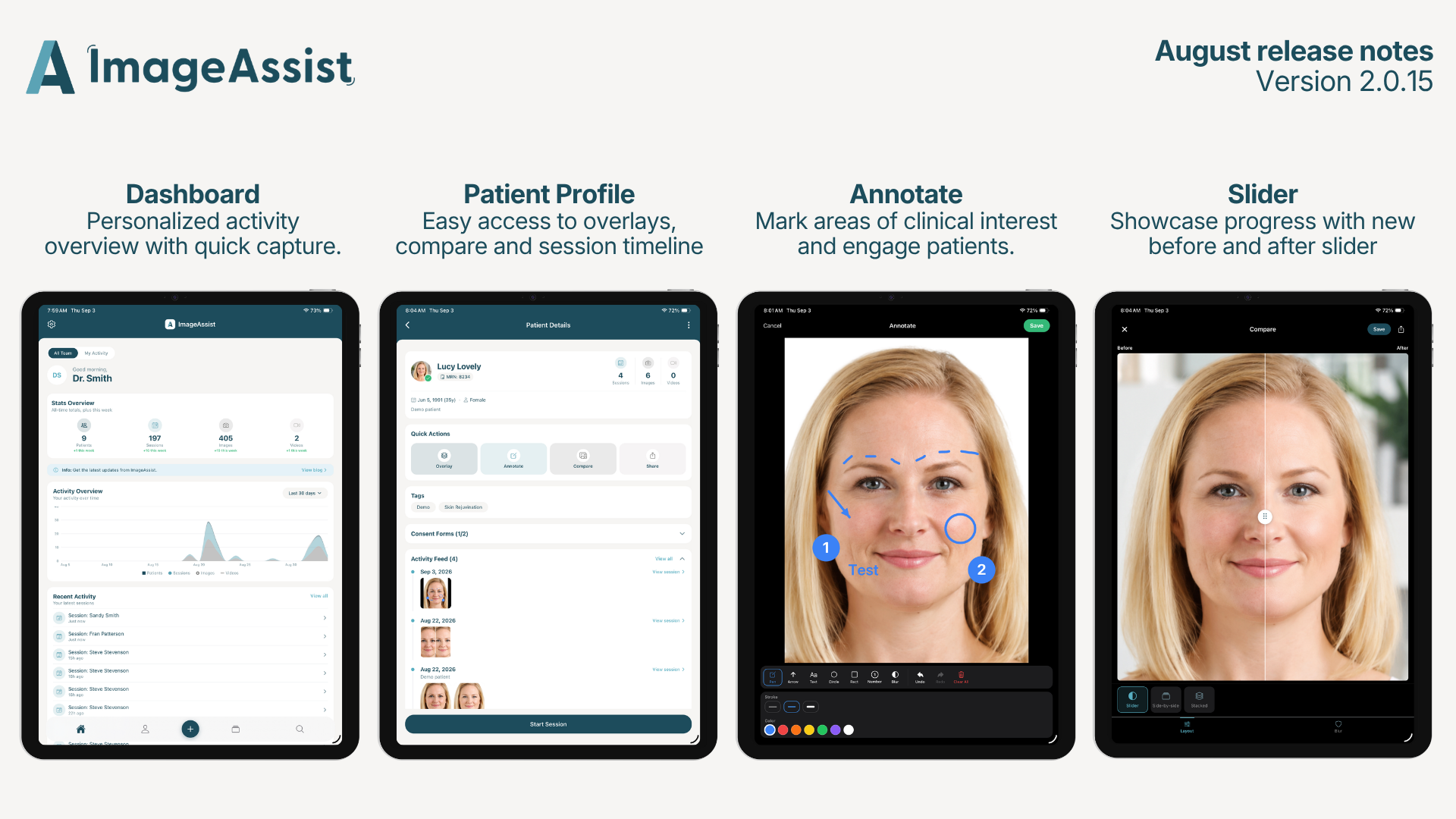
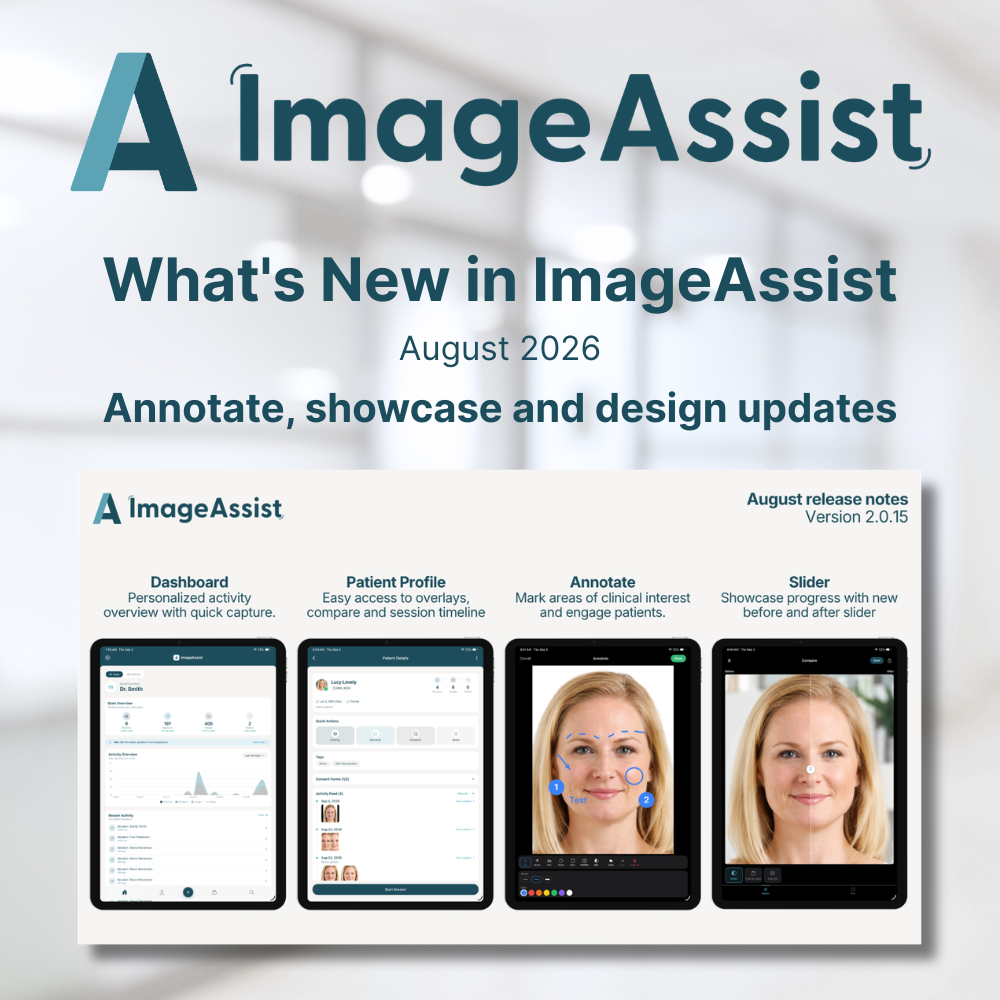
Our biggest release yet brings interactive before/after slider, full annotation tools, and updated home dashboard as well as patient profile experience to ImageAssist.
Before/After Slider, Image Annotation & Design updates
We've been heads-down building, and August brings a major update to ImageAssist — focused on the two things that matter most to your practice: showcasing your before-and-afters and marking up clinical photos with precision. Here's everything that's new.
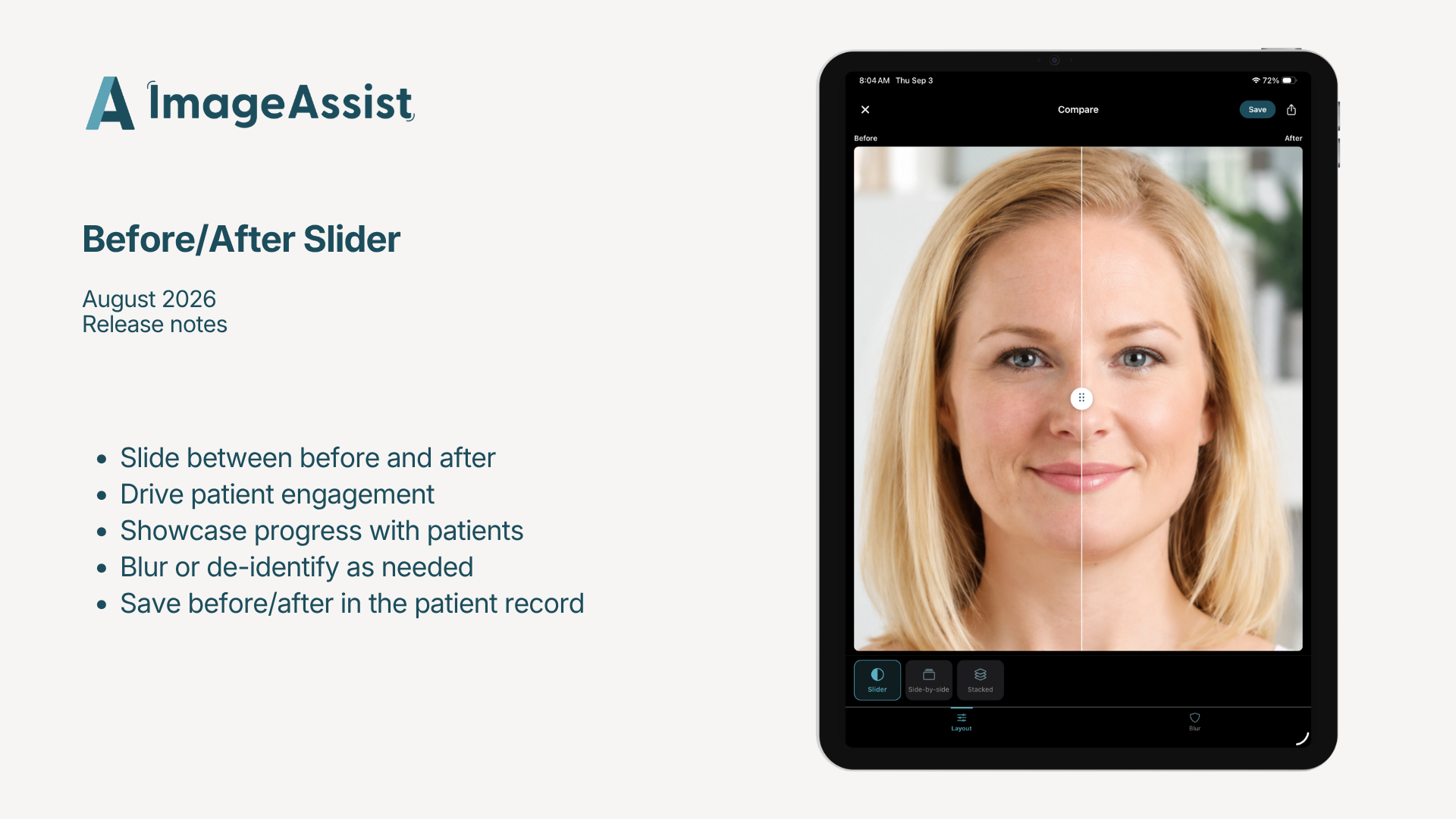
Before/After Slider
Comparing results just got a lot more compelling. The new slider view lets you drag between a before and after photo in a single frame — the same interactive comparison patients love, now right in your consult. It's the most persuasive way to show a patient their potential results, and it lives directly on the patient page.
We've also added privacy blur to the compare feature, so you can de-identify images while still showcasing the outcome — perfect for sharing and marketing.
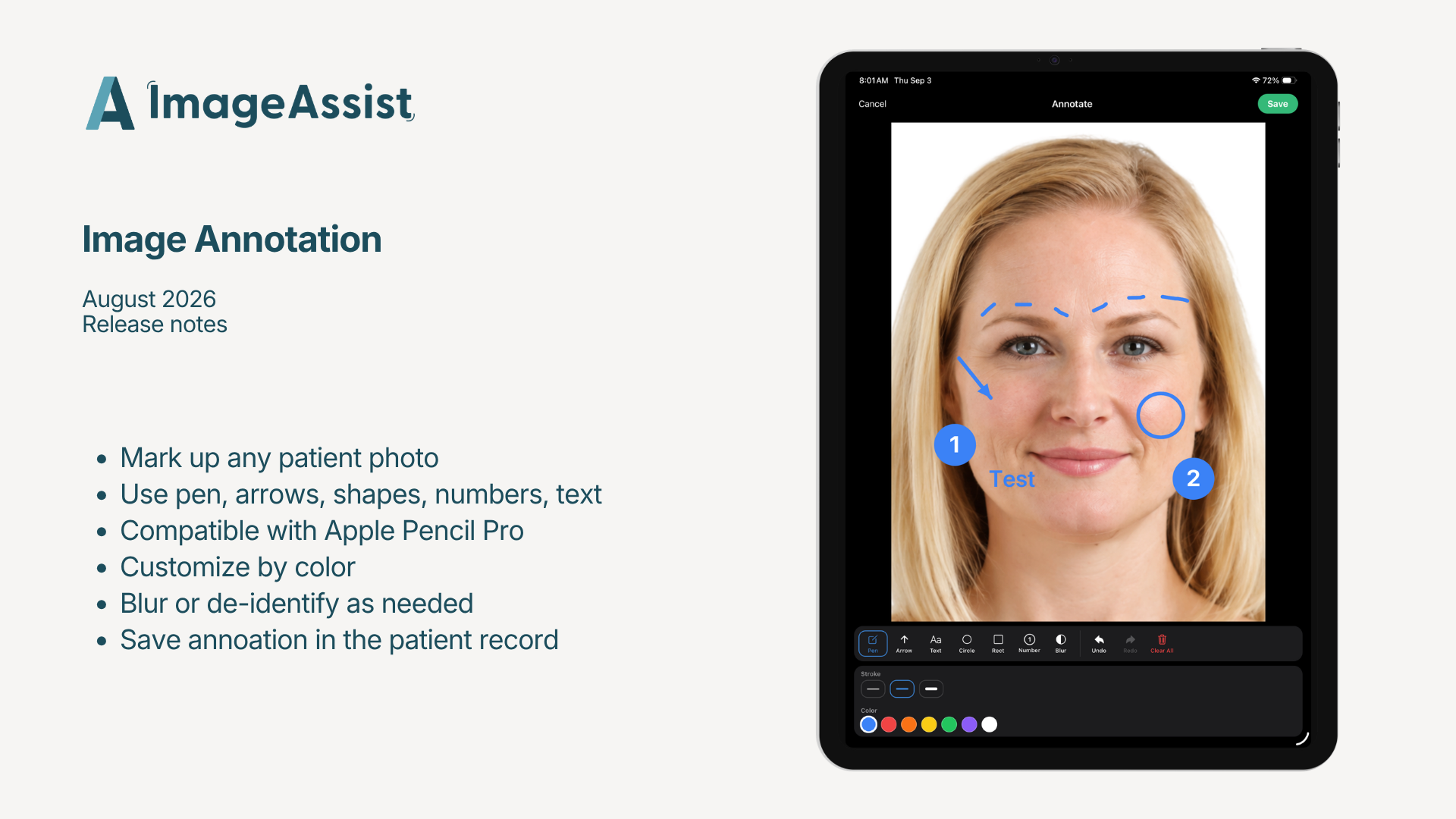
Image Annotation
You can now mark up any clinical photo directly in ImageAssist. Click into a photo, select Annotate, and add arrows, circles, numbers, text, and blur.
Whether you're planning a procedure, teaching a resident, documenting a case, or de-identifying an image before you share it, everything you need is one tap away. No exporting to another app, no workarounds — annotation is built right in.
Those two are the headliners. But there's more.
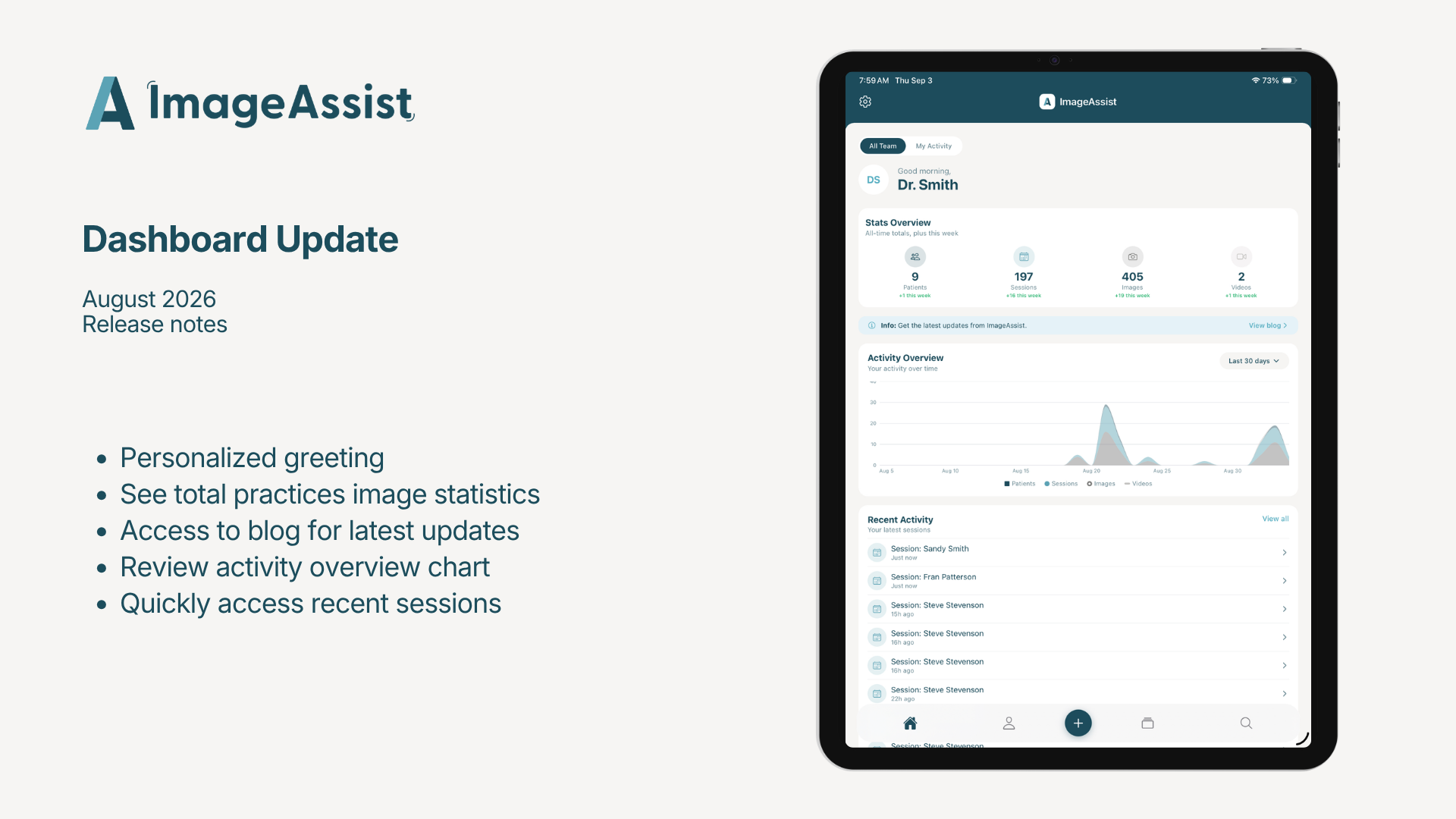
Updated Home Dashboard
When you open ImageAssist, you'll now land on a redesigned home screen that gives you a high-level view of your photo session activity at a glance.
You can personalize it, too. By default your greeting shows your email — to change it, head to Settings → Profile and edit your name.
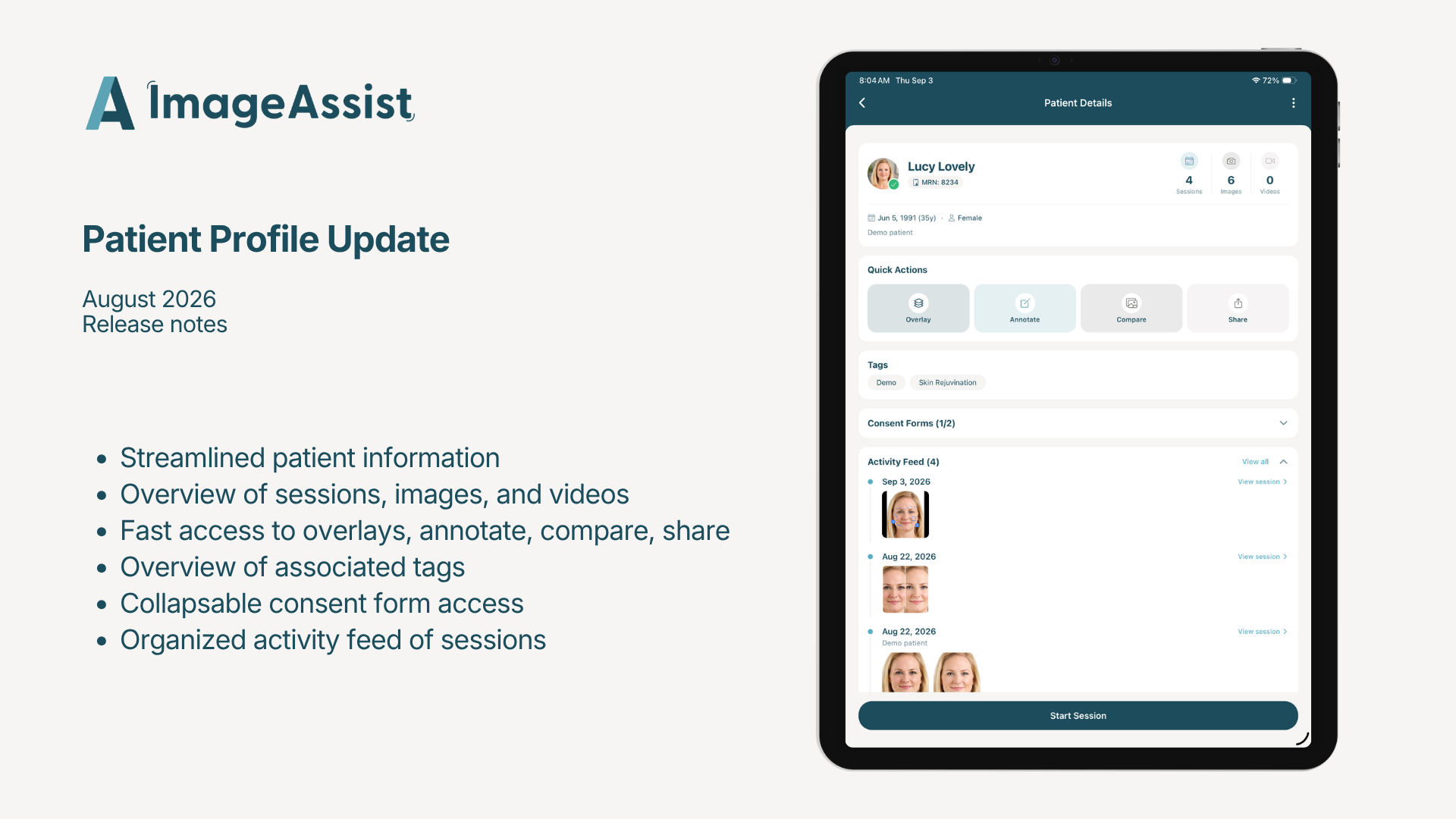
Updated Patient Profile
The Patient page now lives in your footer navigation for quick access. If you're connected to an EMR, it displays your calendar. If not, it shows the patients and sessions you've created in ImageAssist.
We also gave the patient profile page a facelift — and made it easier than ever to jump straight to overlays, annotation, compare, and share functions from right there on the page.
Built from your feedback
Every one of these updates came from listening to how you use ImageAssist day to day. This release makes the platform more enjoyable to use — and, more importantly, better at the things clinical photography is really for: showcasing results and documenting care.