Introducing Image Tags: Find Clinical Photos Faster with ImageAssist
Fri Jan 02 2026
ImageAssist’s new tagging feature helps clinicians quickly organize and retrieve patient photos by procedure, provider, or custom tags—saving time and streamlining clinical workflows across mobile and web.
Clinical Photography Is Only Valuable If You Can Find the Images
In busy clinical environments, finding the right photo at the right moment matters—whether you’re preparing for a consultation, reviewing outcomes, or pulling images for documentation or research.
That’s why we built Tags—a new ImageAssist feature designed to make clinical photo organization effortless, flexible, and fast.
Tag Photos the Way Clinicians Actually Work
With Tags, ImageAssist adapts to your workflow—not the other way around.
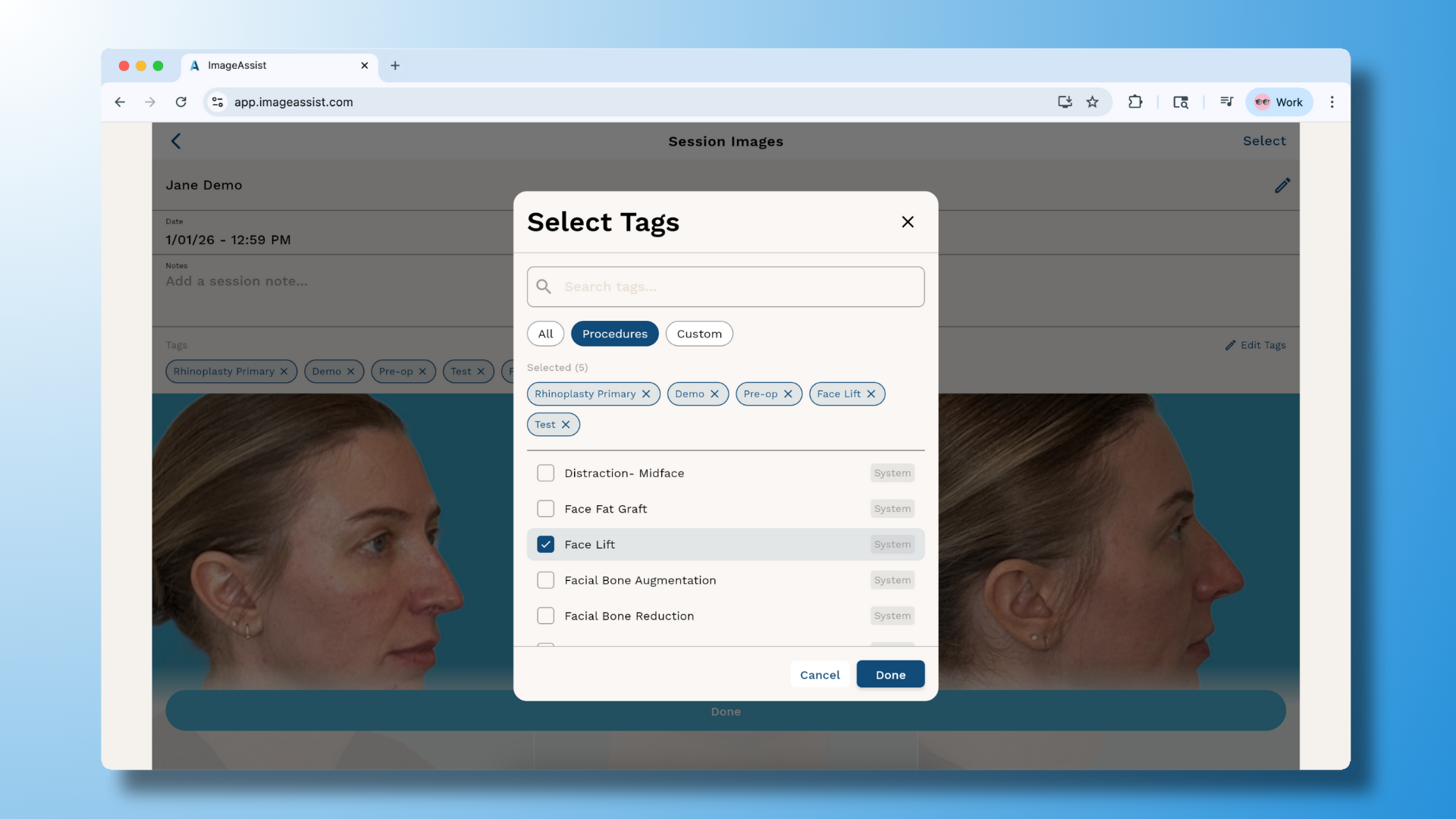
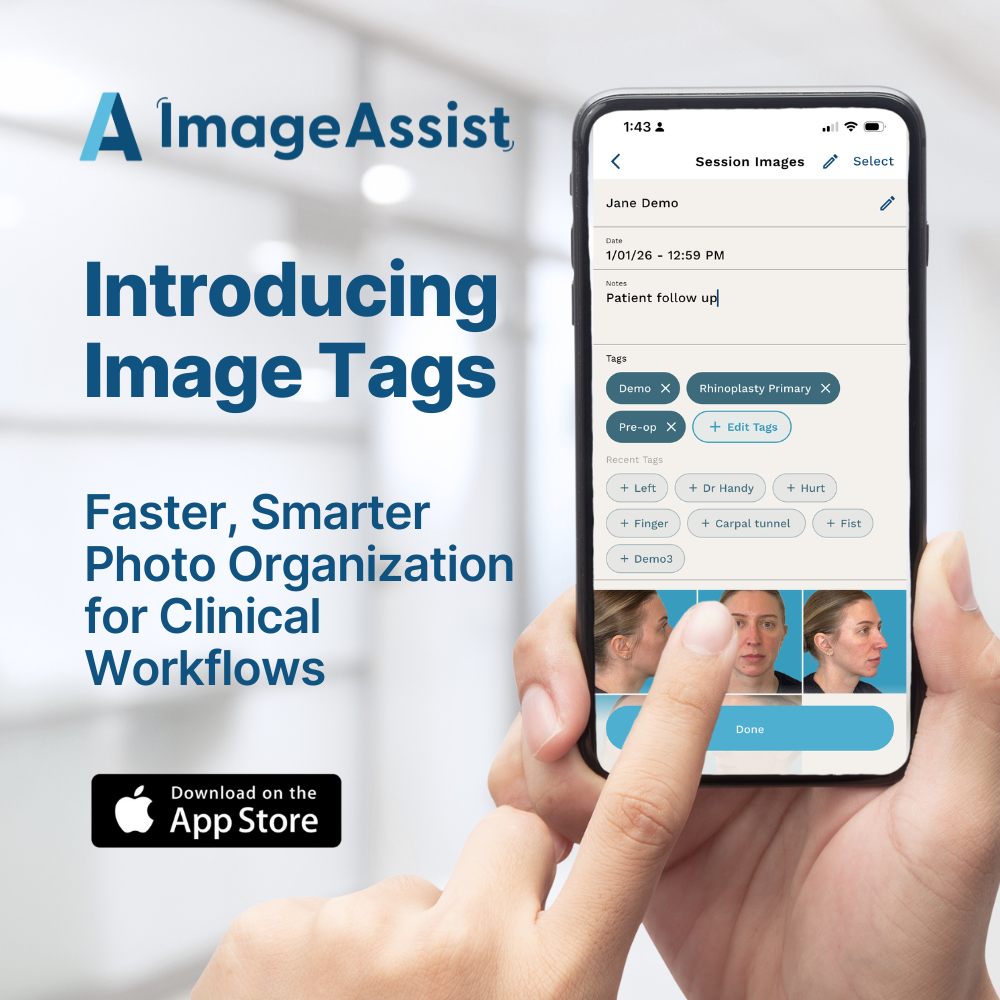
After completing a photo session on your iPhone or iPad, you can:
- Select from a curated list of common medical procedure tags, designed by ImageAssist’s clinical team
- Create custom tags that matter to your practice—such as provider name, specialty, or internal workflows
Prefer to organize later?
You can also apply tags in the ImageAssist web app at the end of the day—perfect for practices that batch documentation.
Designed for Speed
To reduce friction even further:
- ImageAssist automatically surfaces your last 10 tags
- This makes repeat workflows—like routine follow-ups or common procedures—faster with every use
No retyping. No searching. Just tap and go.
Why Tags Matter
Tags help your team:
- 🔍 Find photos faster across patients and sessions
- 🧠 Reduce cognitive load during busy clinics
- 🗂️ Create structure without rigid folders
- ⏱️ Save time during consultations, charting, and follow-ups
It’s a small feature with an outsized impact on daily efficiency.
Available Now
Tags are live today across iOS and Web.
As always, this feature was built with direct input from clinicians—because great software starts with great workflows.
👉 Log into ImageAssist to start tagging today.